
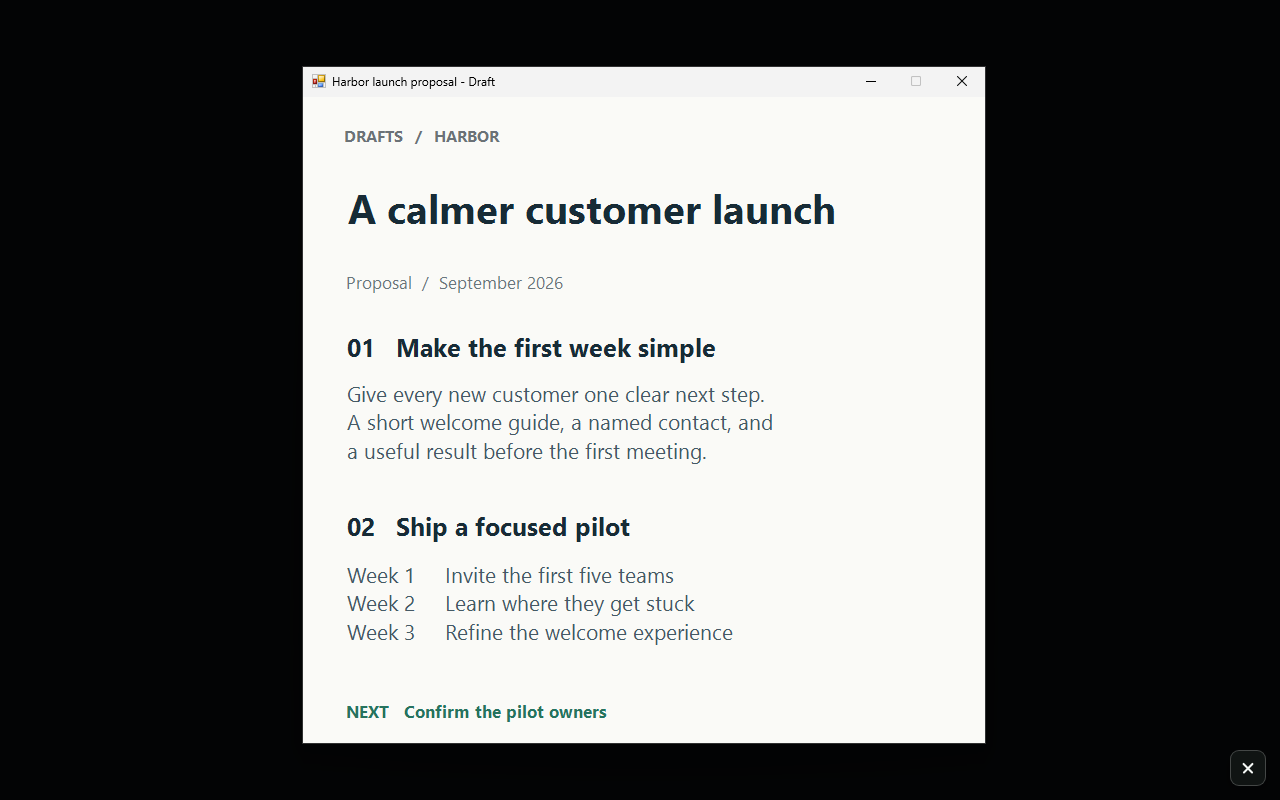
Your apps stay visible
Choose one app or several. Focal keeps their visible windows uncovered while covering the surrounding desktop.
Choose the apps you need. Focal covers everything around them, so your work has room to hold your attention.
Free for 30 days. No card or account. Windows 10 & 11, any number of monitors.
On your phone? These are Windows apps.
Cover the clutter without closing or minimizing anything.
The demo could not load. Reload to try again, or read how it works below.
Less visual noise. More room to think.
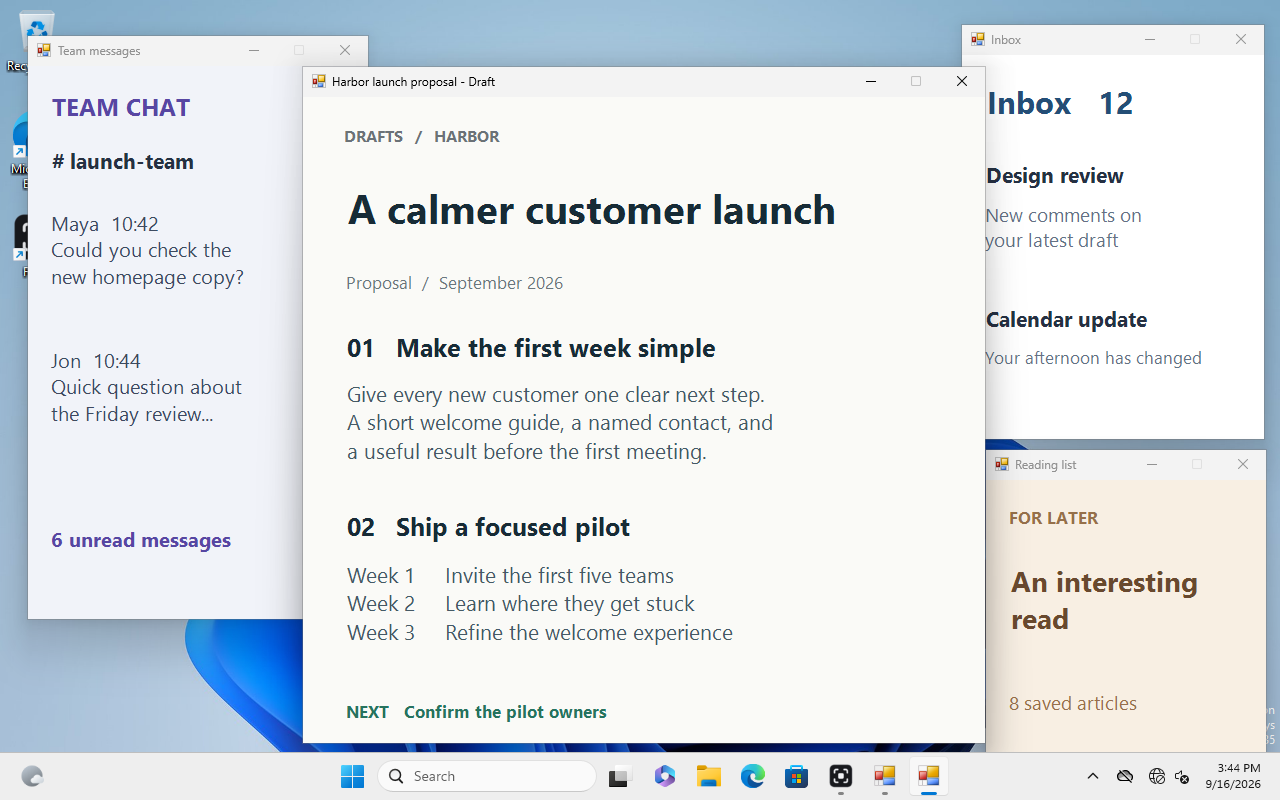
You don't have to close everything to concentrate. Keep a document, a reference, or several work apps visible. Focal covers the surroundings and follows your windows as you move them.
A quieter desktop
Press Ctrl + Alt + F to start or end focus with the default shortcut. Your selected apps remain usable where they already are.
Choose one app or several. Focal keeps their visible windows uncovered while covering the surrounding desktop.
Cover distractions across connected displays. Choose whether to leave the taskbars visible.
Save the apps, cover color, strength, and spacing you want for writing, research, or another routine.
The cover follows your selected windows as they move, resize, or snap. Keep working in your usual apps.
Find your focus setup
See when Windows Focus is enough, and when Focal can help keep selected apps visible.
 Focal for Windows
Every feature, free for 30 days. No card, no account. Then keep it for $3.99 once.
Focal-0.2.18-x64.exev0.2.18 · Windows 10 & 11, 64-bit
Every Synapse Tools installer is digitally signed and timestamped. Microsoft verified the publisher’s identity before issuing the signing certificate, so the signature proves who made the file and that nobody changed it after signing.
To check it yourself: right-click the downloaded file, choose Properties, then Digital Signatures and Details. Windows says “This digital signature is OK.” A modified or damaged file fails that check.
On your phone? These are Windows apps.
How buying works
No account or subscription, and the license doesn’t expire. Lost the file? Reopen your confirmation link or contact support with your receipt.
Before you install
Focal removes its covers if it cannot safely maintain focus mode. You can always use its emergency shortcut to leave.
Focus mode pauses until you activate a permanent $3.99 license. The trial starts on first run and includes every feature. No card or account is needed to try it.
Pay once at Stripe checkout, then download your license file from the confirmation page. In Focal, choose Import license and pick that file. No account is needed.
Press Ctrl+Alt+Shift+F to end focus and open Focal, or use the small X at the bottom-right of your primary screen. The fixed emergency shortcut stays available even when you customize your other shortcuts.
No. Focal covers visual distractions around the apps you select. It is an attention aid, not a privacy screen, access-control tool, or website blocker. Secure system prompts and exclusive full-screen apps are outside its control.
Profiles, app selections, shortcuts, and appearance settings stay on your computer. Buying a license uses Stripe checkout and the Synapse Tools license service; the app checks the imported license locally.
Focal runs on Windows 10 and Windows 11, on 64-bit PCs. Try it with your own apps and monitor arrangement before buying.
Make the desktop yours
Pair Focal with Snappy for window placement or Switcher for finding an open window. Each app is sold separately.