
Synapse · Free for Chrome
From open tabs
to the next step.
Summarize a video. Reuse a prompt. Make your new tab useful. Keep your browser work connected with Synapse.
Available on the Chrome Web Store. Use your existing AI websites.
One connected workflow
Keep the context.
Move the work forward.
Follow the source into your next action, with the tools beside it.
01 · Stay with the source
Keep the page in view.
Open the Synapse sidebar beside an article or YouTube video. Your source stays visible while you choose what to do next.
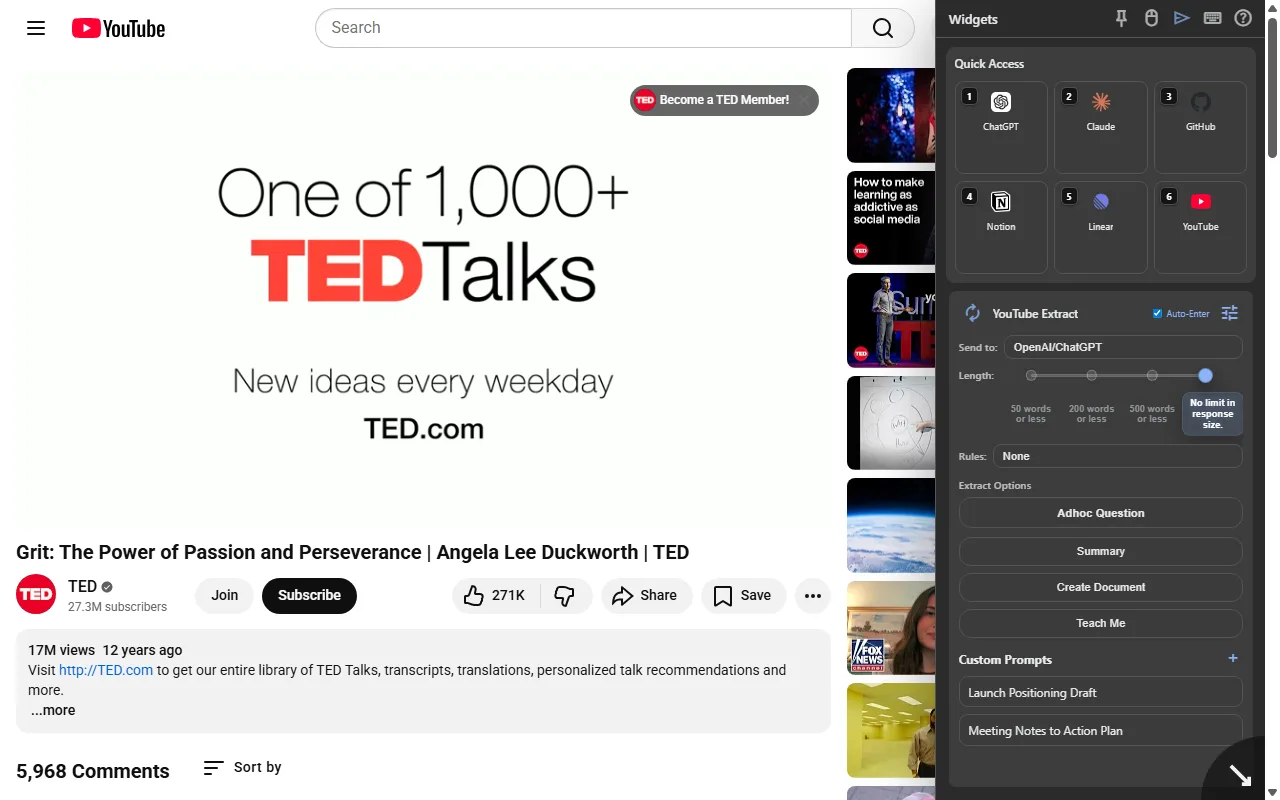
Source and sidebar, together 02 · Pull out what matters
Turn a video into a starting point.
Extract the transcript and prepare a summary, lesson, or question for your chosen AI website. Review the answer against the source.
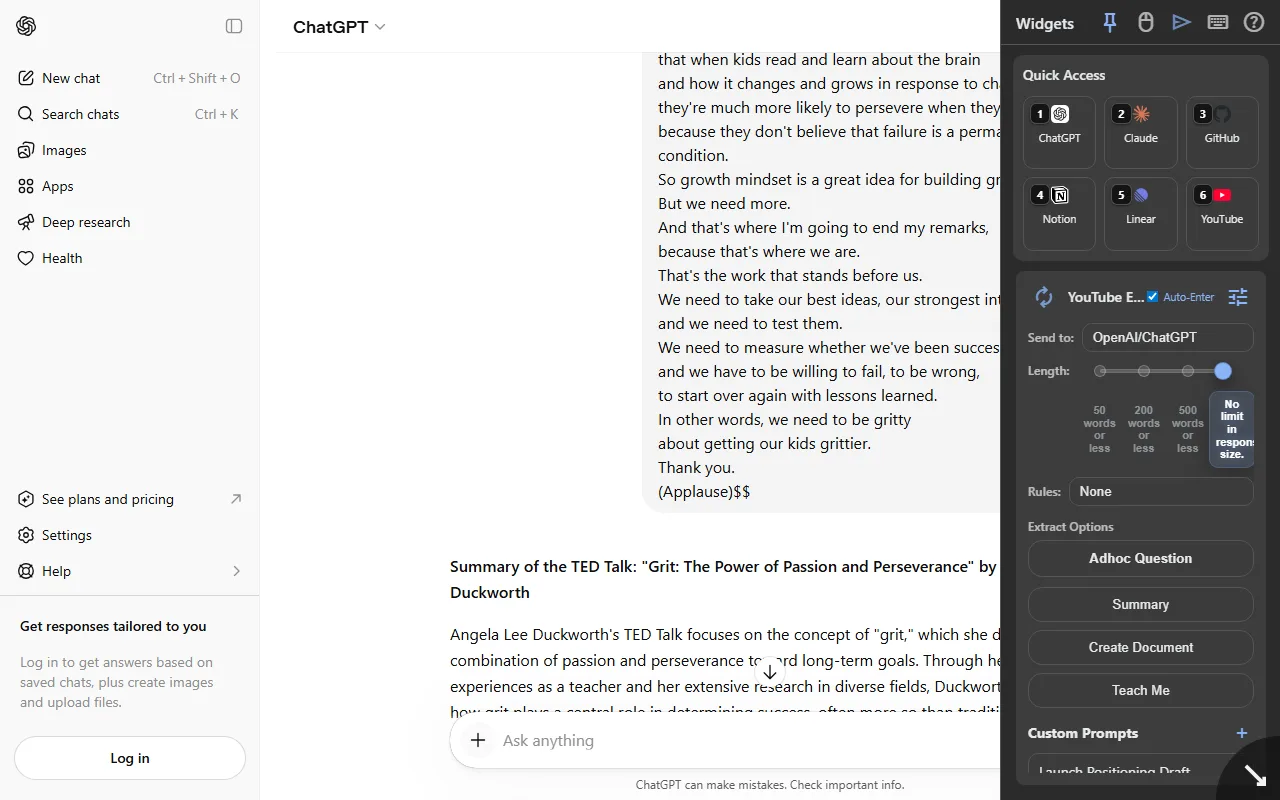
Video context sent to ChatGPT 03 · Reuse your best instructions
Pick a prompt. Skip the retyping.
Keep repeat instructions in searchable folders. Select a saved prompt and insert it into a supported AI chat.
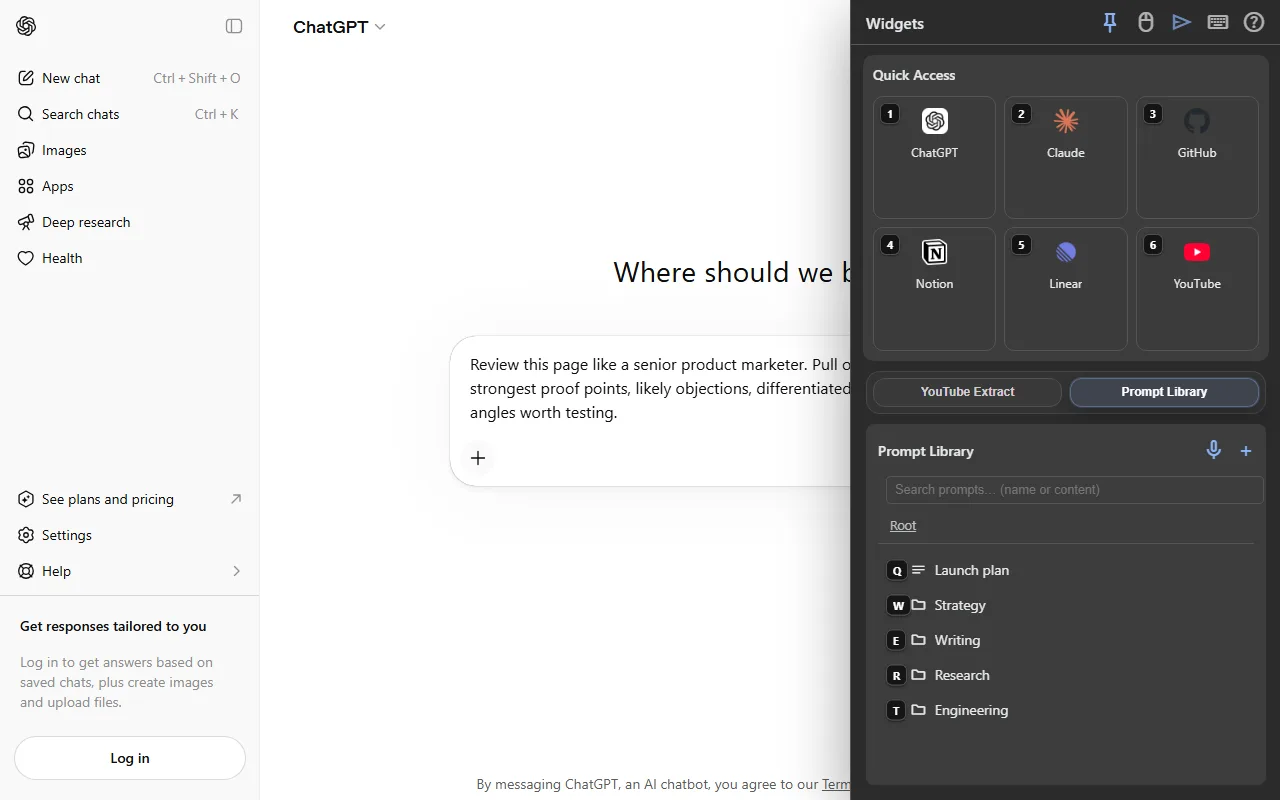
Saved prompt, ready in chat 04 · Make it your workspace
Start the next task from one place.
Bring search, bookmarks, apps, and prompts into your New Tab. Customize the layout around the destinations you use every day.
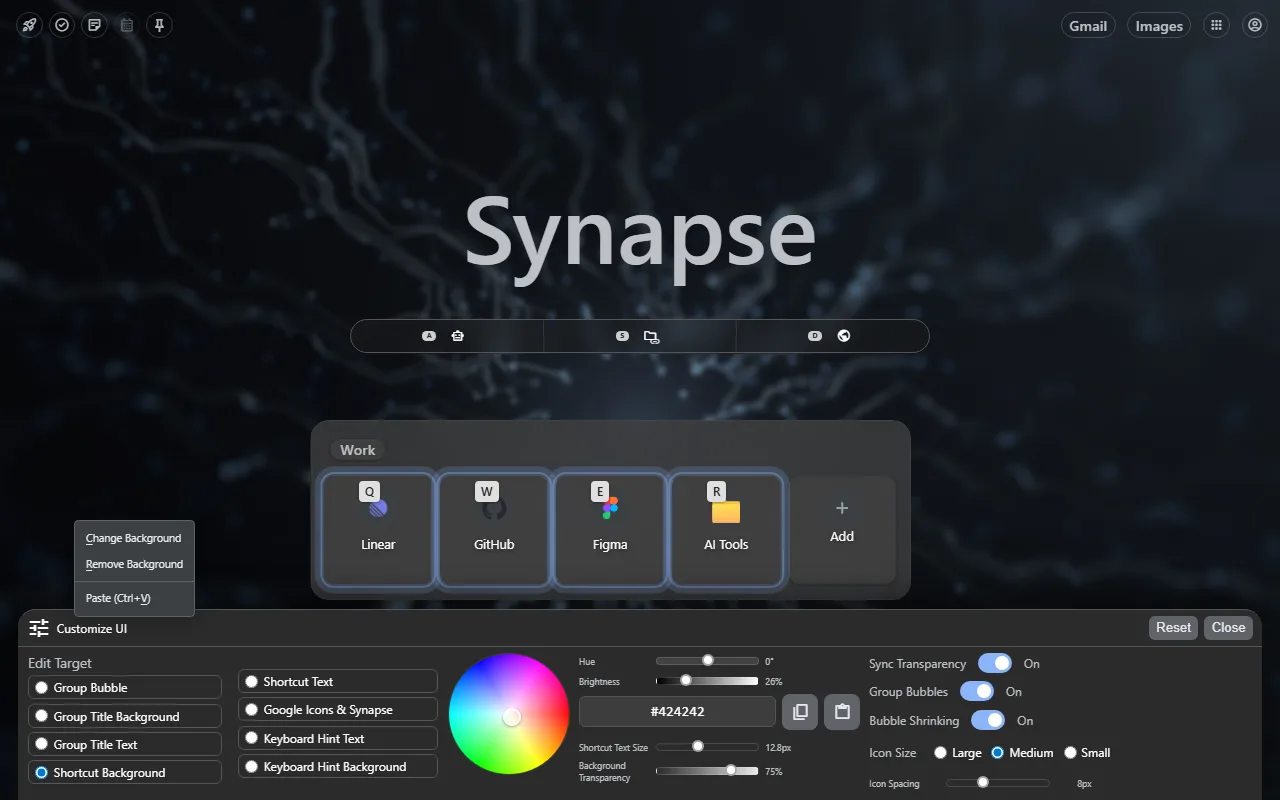
Your next starting point
Before you install
Know what you’re adding.
Synapse is a free Chrome extension. Your chosen AI service may have its own account requirements or limits. Read how Synapse handles your data and permissions.
Make your next tab a useful one.
Add Synapse free, then try it with the next page or video you open.